RPG Studio 2.0: An RPG Agent, Three Combat Systems and Custom Gameplay
Version 2 redesigns the whole Studio around four steps, brings an agent built for RPGs that can create plugins, adds Tactical RPG and turn-based combat, online battles to share with friends, new visual tools, and new subscriptions.
RPG Studio 2.0: An RPG Agent, Three Combat Systems and Custom Gameplay
RPG Studio 2.0 is the biggest update since the Studio first opened. The interface has been rethought from scratch, an AI agent built for RPGs now sits at the heart of it, two new combat systems join the action RPG, and you can go much further than events and blocks with plugins: real gameplay systems, created by the agent.
A New Interface in Four Steps
The Studio is now organized around the way you actually make a game: Create, World, Play and Distribute.
Create: the Agent and Your Game, Side by Side
Creating is now very simple: on one side, the agent; on the other, your game. Click Edit Map to change the map directly, without reloading, then come back to the agent whenever you want.
An Agent Built for RPGs
The big news of this version is the agent. It is optimized for RPGs: it creates the data of your game, builds events, looks at the map and fixes it when needed. It does all this while using very few tokens, so you can rely on it a lot.
You can also call it from the map itself. When you add an event somewhere on the map, you choose: build it by hand with blocks, as before, or describe the event and let the agent create it at that exact spot.
Plugins: Real Gameplay, Created by the Agent
The agent can also create plugins. An event is usually something simple: a character to talk to, a chest. A plugin is a full gameplay system: a blacksmith, crafting, a guild, fishing, and so on.
A plugin is designed on both sides:
- On the client, with code: interactions on sprites and characters, and the interfaces it needs.
- On the server, with the rules of the system.
That is why a plugin works just as well in a solo RPG as in an MMORPG. When you publish your game as an MMORPG, the plugin is taken into account directly. Plugins are created by the agent and stored in your project.
Tip: not sure where to start? Ask the agent for a scenario first. It will give you ideas and several directions to build your game.
World: Your Maps
The World step does not change much: this is where your maps live. You can still generate them and connect them together.
Play: Test First, Publish When You Are Ready
You can now play your game inside the Studio to test it. The rest of the world plays it only once you publish it. Testing your draft and publishing your game are now two clear, separate steps.
This is also where the new combat systems come to life.
Two New Combat Systems: Tactical RPG and Turn-Based
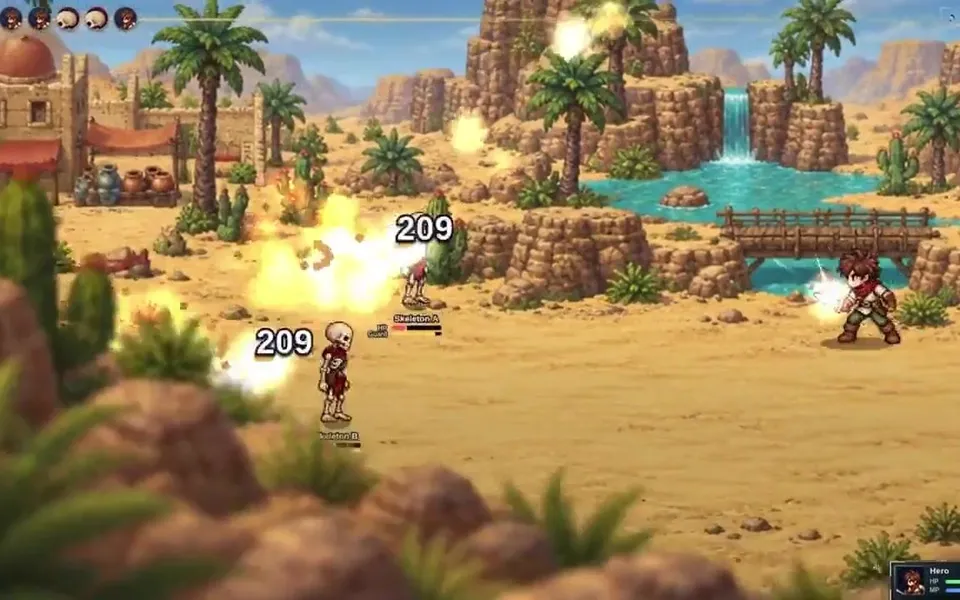
Until now, the Studio offered the action RPG. Version 2 adds two combat systems: the Tactical RPG and the turn-based battle.
Turn-based: party battles with side-view animations.
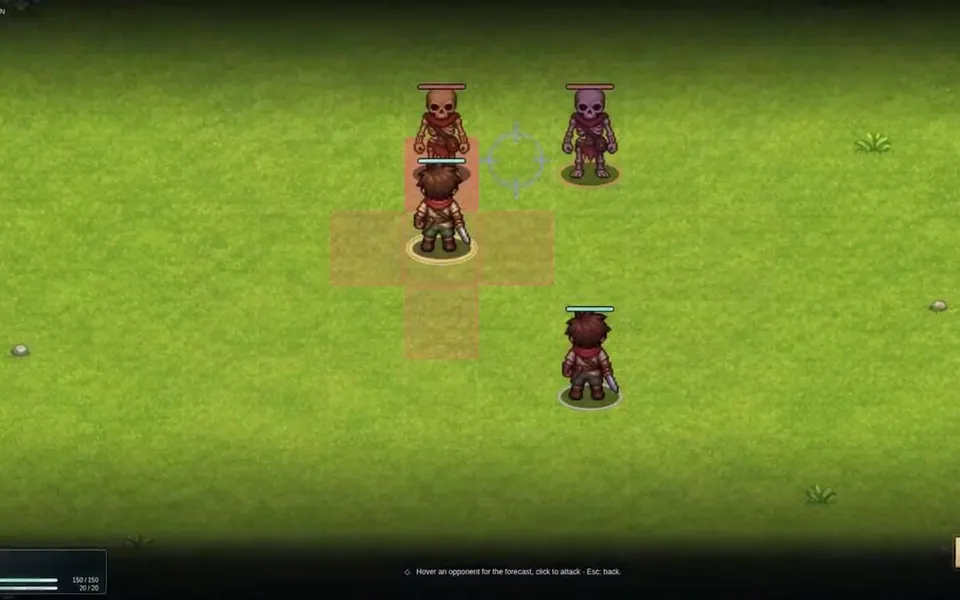
Tactical RPG: grid movement, positioning and range.
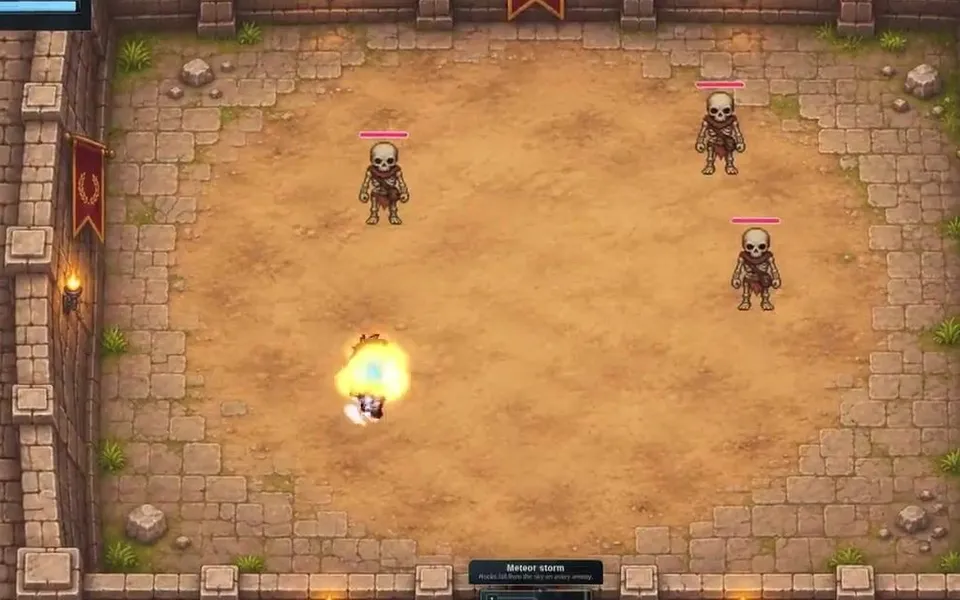
Action RPG: real-time fights, still available.
From Play, you can test a battle directly, offline.
Online Battles to Share With Friends
You can also play online. Create a Tactical RPG or turn-based battle, then share the link with one friend or several people, to play together in co-op or one against one. It is fun right away, and you can already build small battle scenarios this way.
All multiplayer features, the MMORPG and online battles, require a subscription.
Turn On a Combat System
To use the Tactical RPG or the turn-based battle, you first need to turn it on: go to Settings, then System, and enable the combat mode you want. New options then appear in the Studio.
Distribute: Publish Your Game
Distribute publishes your game, as a solo game or online, so you can share it with the rest of the world.
As before, a subscription lets you export your project and its source code. It is built on RPG.js, an open-source engine, so you can keep working on it on your side. Desktop (Windows, Mac, Linux) and mobile exports will come later.
Four More Sections, for Hands-On Work
The agent can do a lot for you, but you can also work by hand. Next to the four steps, the Studio has four more sections: Visuals, Workshop, MMORPG and Settings.
- MMORPG was introduced in the previous versions. It shows who is playing your game and lets you follow the chat.
- Settings holds the settings of your game. The agent can help here too.
- Workshop gathers your game data: the database, the events and the plugins.
- Visuals gathers every visual of your game.
Visuals: Characters, Scenes, Effects and Themes
Characters are new. Before, everything was mixed in the media library. A character now brings together all the animations linked to it: what it does when it attacks, or how it looks in a turn-based battle, for example.
You can also create variants of a character. It is the same character with a different look, like a hero wearing armor, or a chest that is open or closed. A variant is not an animation: it is a version of the character you can reuse.
Importing a character is also easier: you now define how the spritesheet is cut during the import. This is much simpler when your characters come from another game engine.
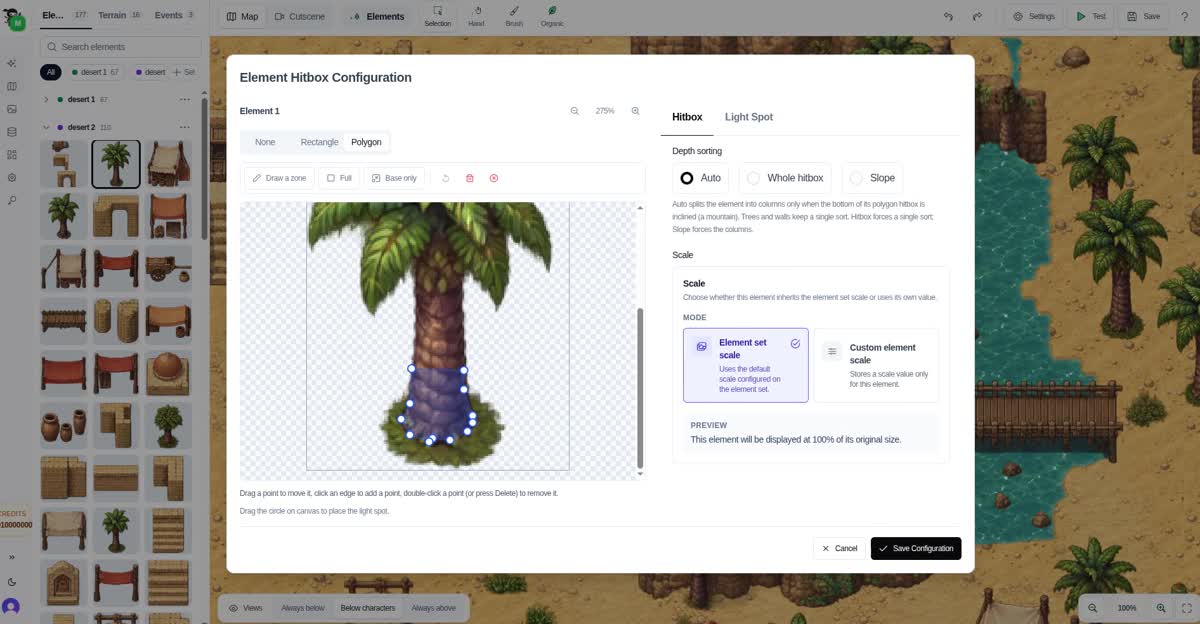
Scenes existed before, but they are now grouped in one place: you will find your sets of elements and your terrains there.
Visual Effects is completely new. As the name says, these are the visual effects of your game: attacks, projectiles, impacts. About sixty presets are ready to use, for battles or directly on the map.
Themes change the default look of your game’s interfaces. You can create a theme and adjust it yourself, but we recommend asking the agent to do it.
Workshop: Projectiles and Troops
The database has two new entries.
Projectiles let you create bombs, arrows or boomerangs, for a Zelda-like gameplay in your game. New blocks fire them, and of course the agent can set it all up for you.
Troops are groups of enemies. A troop defines which enemies you meet in a battle, possibly with a specific music or level. For the Tactical RPG, you place the enemies on the grid. For the turn-based battle, you place them on the background.
On the map, you can then define battle zones: when the player walks through them, a battle starts at random or after a set number of steps.
What It Means for Your Game
With all of this, RPG Studio becomes a very powerful tool: you can create an RPG with three combat systems and your own gameplay. You used to be limited to blocks; now you can go as far as you want. And the agent will keep getting better.
New Subscriptions
The Studio has evolved a lot in recent months, and for a long time we offered a lifetime license. We no longer offer it.
If you already bought the license, you keep it. You can still create several projects, with no limit on your data, several maps, themes and plugins, use API keys to connect your own agent like Claude Code or Codex, and enjoy more storage. The license does not include the monthly credits or the extended use of the built-in agent: for that, you can subscribe.
The Free plan lets you use the agent, with limited use. The subscriptions let you go much further, especially to create gameplay and plugins with the agent:
| Indie Dev | Studio | |
|---|---|---|
| Price | $25 per month, or $19 per month billed every 6 months | $99 per month, or $75 per month billed every 6 months |
| Credits | 500 per month | 2,500 per month |
| Online game | RPG or MMORPG, up to 100 players at the same time | RPG or MMORPG, up to 500 players at the same time |
| Agent | Extended use | Much more extended use |
Credits carry over and stay valid for one year. They pay for what the AI generates: images, assets, music and, above all, maps with the map generator. A complete map costs 50 credits.
Indie Dev is the one we recommend to most creators. Studio is made for those who want to build a serious game, or an online world with many players.
See all the details on the pricing page.
And Next: Our Own Game
We are also making our own game with RPG Studio. It is not a simple demo: it is a real game, with real gameplay and a real story, planned for 2027. It is the best way to show that RPG Studio is a complete game engine, and that it will keep going further.
We still have many ideas. Try the agent, try the new combat systems, and tell us what you build.