
Publish and play in one click
Press Publish and play MMORPG and Studio starts the server for you. A few seconds later you are playing online. When you change a map or an event, the running game receives the update without a restart.

Guide · MMORPG
A persistent online world in your browser: players with accounts, a moderated chat, fights between players and a dashboard to run it. You design the game, Studio runs the server.
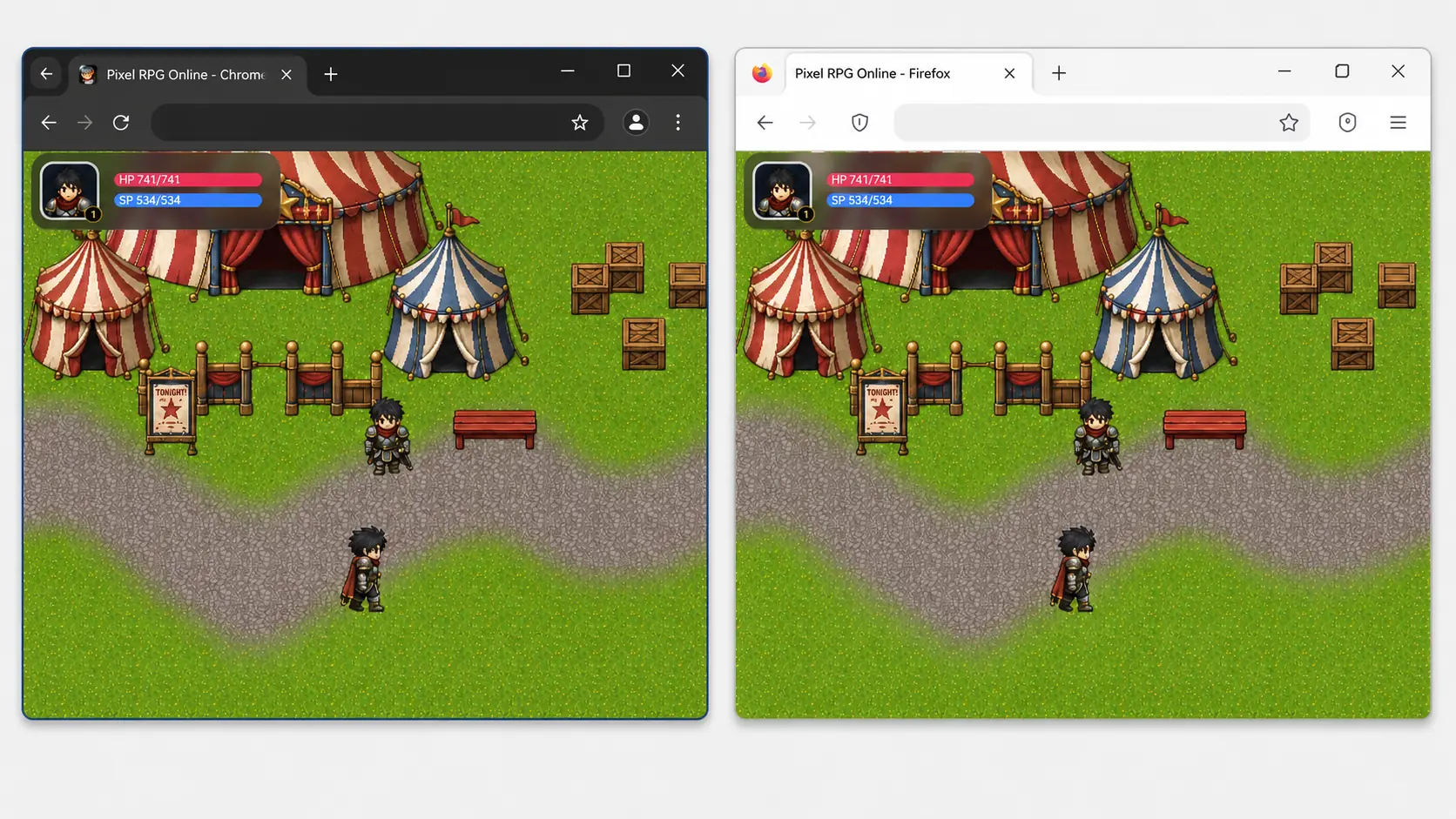
A solo RPG runs on one machine. An online world has to keep many players looking at the same thing at the same time, over connections that are never perfect, and keep running while you change it. Most of the work is not in the game itself: it is in everything around it.
Six problems every online game has to solve, whatever the engine.
The server owns the truth: where each player is and what each monster does. Every screen has to show the same thing, and keep showing it as players move.
A player cannot wait for the server before their character moves. The game has to answer at once, then quietly correct itself if the server disagrees.
One server only holds so many players on a map. A bigger world means spreading maps across servers while players walk between them without noticing.
Players sign in, choose a nickname and expect to find their character, items and place on the map when they come back.
An open chat attracts insults, spam and scams. Someone has to read the messages, or the game becomes unpleasant for everyone else.
Fixing a map, banning a player or publishing an update should not mean kicking everybody out and restarting.
RPGJS is the open-source engine under RPG Studio. Version 5 was rebuilt around these problems instead of adding them afterwards.
The server decides what is true. The browser draws the world and sends what the player does. Synchronization between the two is automatic.
The client moves your character right away, then the server confirms or corrects it, so the game feels immediate even over a slow connection.
Maps and events can be updated while the game runs, through an authenticated request, without restarting the server.
The engine is organised around maps, with players moving from one to the other. That is the basis for spreading a world across several servers.
You can read the code and take a project further by hand. Saving, loading and accounts can be connected to your own backend over HTTP.
The engine solves the hard parts. Studio turns them into switches and screens, so you do not write server code or manage a server.
Press Publish and play MMORPG and Studio starts the server for you. A few seconds later you are playing online. When you change a map or an event, the running game receives the update without a restart.
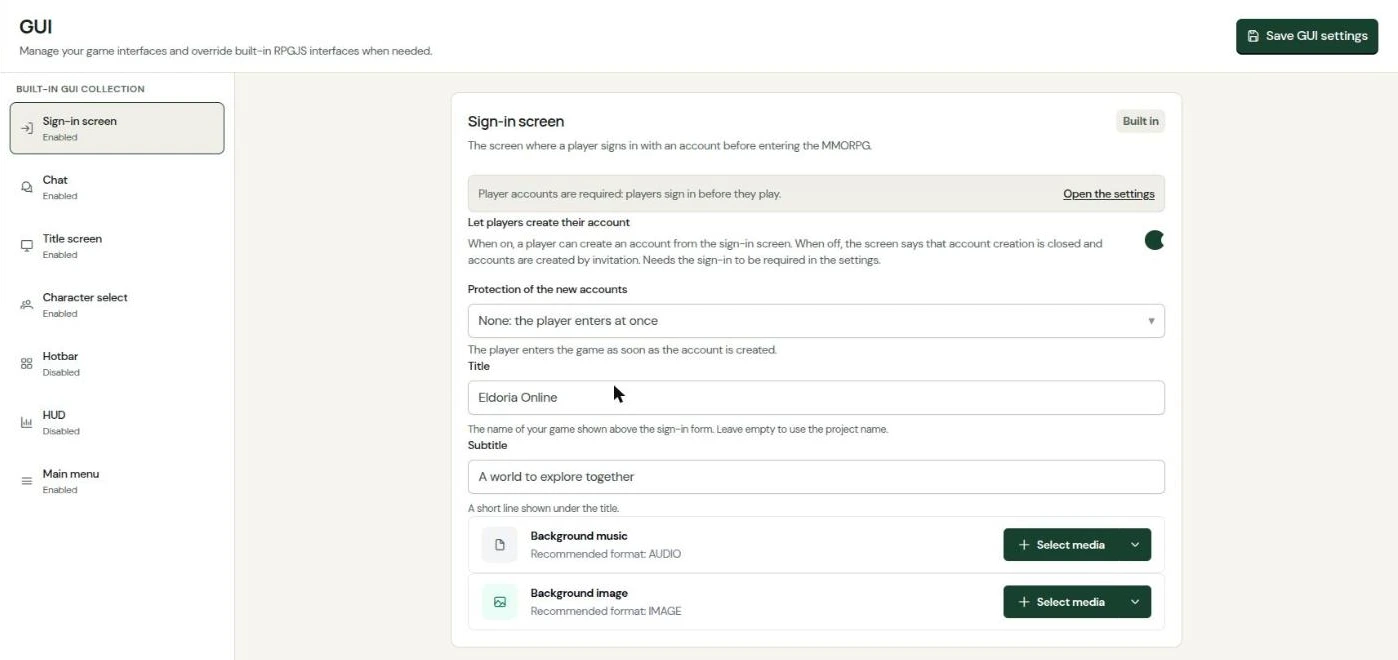
Turn on accounts and the game opens on a sign-in screen. You choose how open it is: anyone can join, the player confirms their e-mail, or you approve each account. Players pick a nickname and keep their progress, including after changing maps.
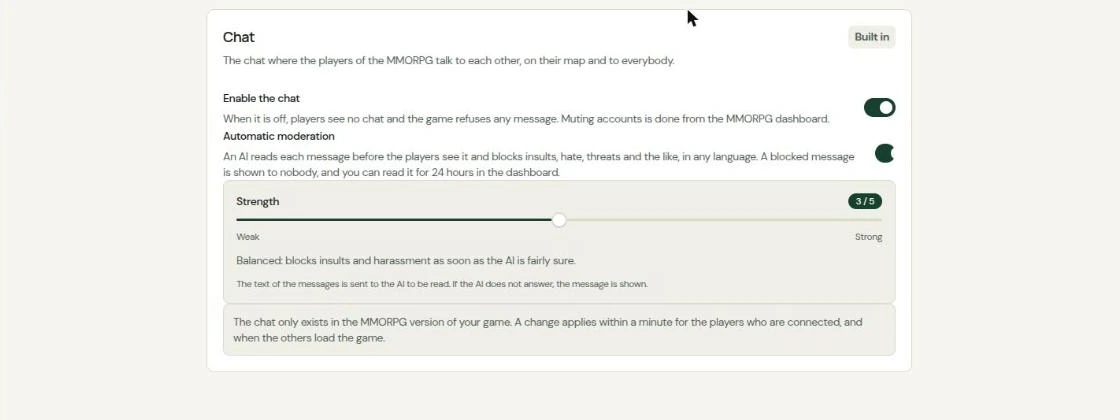
Every message is checked before it appears. Insults, harassment, hate, threats, sexual content, swearing, spam and scams are blocked, and you choose the strength from 1 to 5. Players who keep sending refused messages are muted for a while, and a journal shows what was blocked in the last 24 hours. You can also speak to everybody or to some maps, and delete a message.
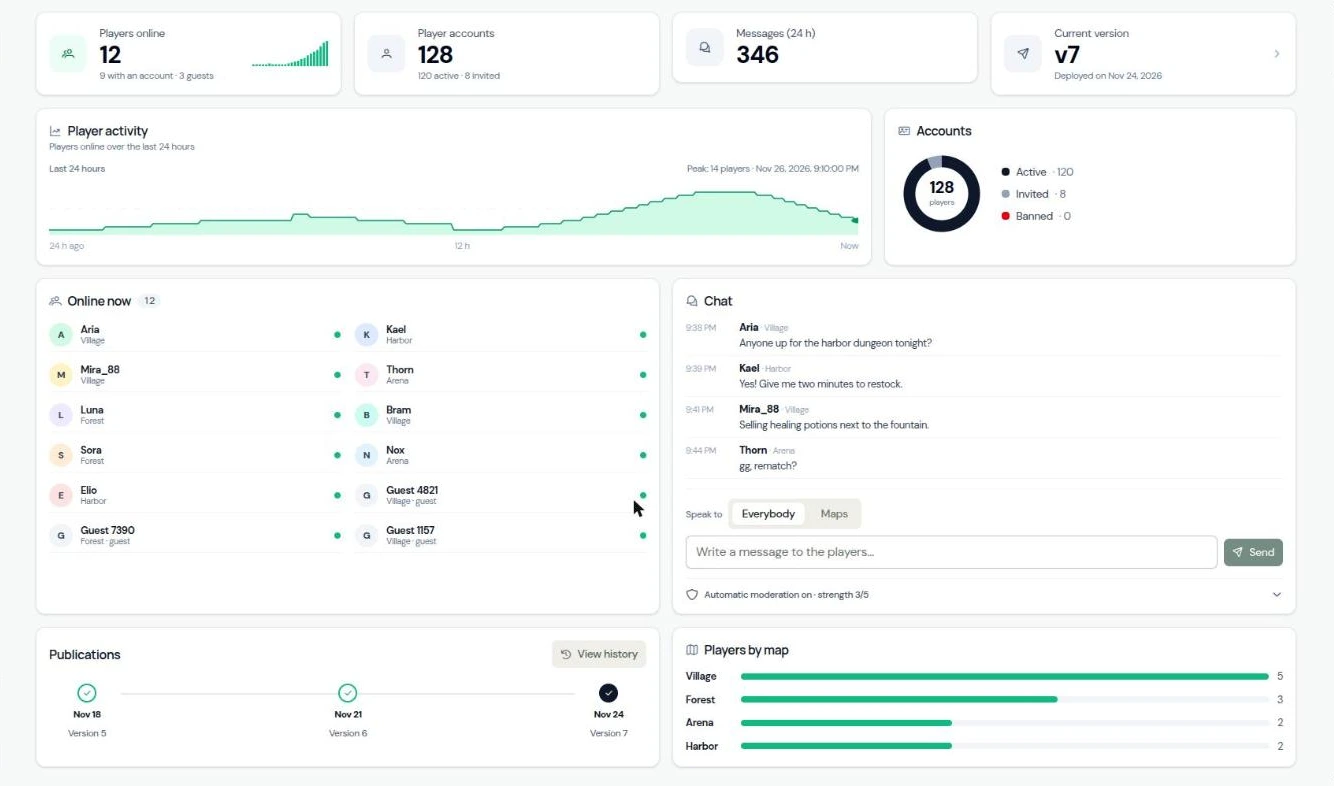
See who is online now and over the last 24 hours, the accounts, the chat and the history of your publications, and publish or play from the same page.
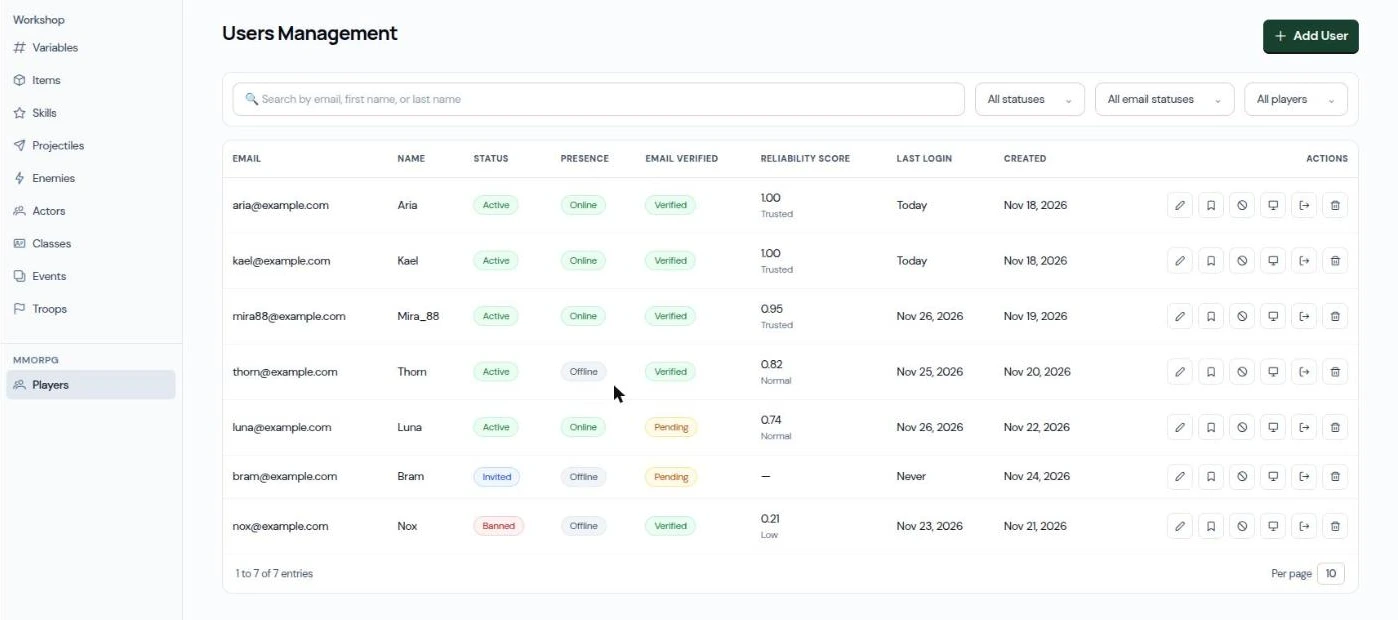
Status, presence, e-mail verification and a reliability score. From the list you can edit, ban, follow, disconnect or delete a player, or correct their progress, and the game is told immediately.
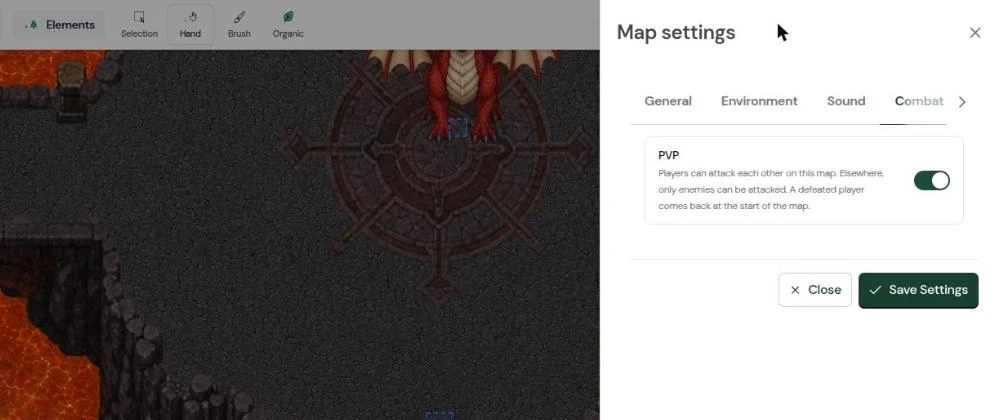
Two ways to bring players into combat.
In the Combat tab of a map, turn PvP on. On that map players can attack each other, and every other map stays as it was. A defeated player comes back at the start of the map with full health and a short protection, so a fight never becomes a trap.
Create a Tactical RPG or turn-based battle, then share the link with one friend or several people. Play together in co-op, or one against one. It is fun right away, and you can already build small battle scenarios this way.
Turn the combat mode on first, in Settings then System.
The engine is free and open source. Multiplayer in Studio is part of the paid plans.
An RPG or MMORPG with up to 100 players at the same time.
An RPG or MMORPG with up to 500 players at the same time.
The MMORPG and the online battles require a subscription. The Free plan lets you try the agent with limited use. See the pricing →
Yes. You build the game in Studio, press publish and Studio runs the server. If you want to go further, the engine is open source and you can add code.
Up to 100 players at the same time on the Indie Dev plan and up to 500 on the Studio plan. Each map also has a practical limit that depends on your gameplay.
The engine is free and open source. The MMORPG and the online battles in Studio require a subscription, and the Free plan lets you try the agent with limited use.
No. Studio deploys and runs the game server for you.
A subscription lets you export your project and its source code. The engine is open source, so you can keep working on it on your side.
Turn on player accounts, publish, and invite a friend. In your browser, without a server to run.
Try it in Studio